Assignment 1: Search (Pac-Man AI Homework)
CS451/551 · Adapted from UC Berkeley CS 188 Project 1 ·
Modified by Amin D. Alamdari, 2026
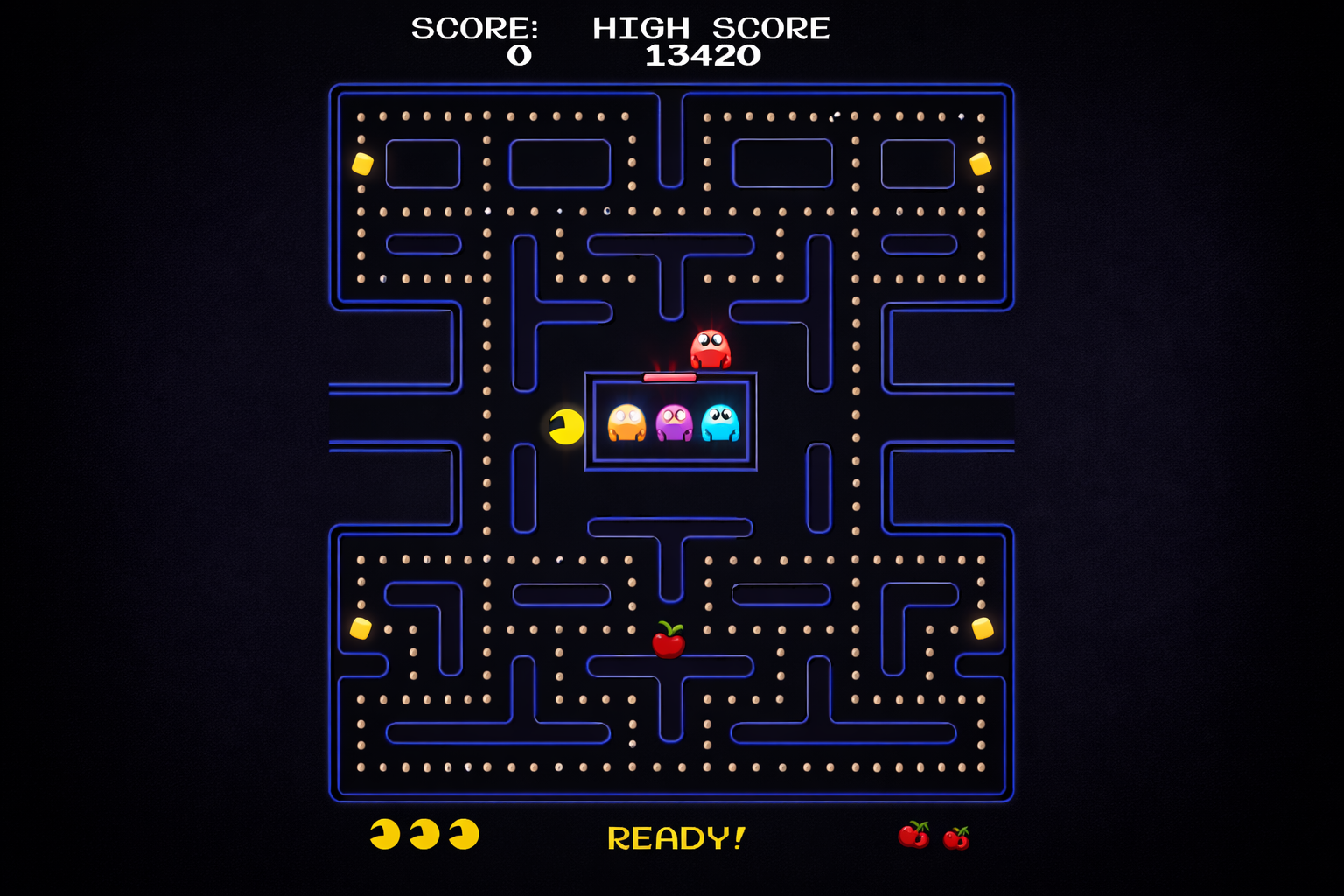
In this project your Pac-Man agent will find paths through his maze world — both to
reach a particular location and to collect food efficiently. You will build general
search algorithms and apply them to different Pac-Man scenarios.
The game engine, display system, and test infrastructure are already built for you.
Your job is to implement the search algorithms and problem formulations that
make Pac-Man smart.
CS 451/551 Course Link (TBA)
Berkeley Project 1 Page
Homework's Github Repository
Repository README
Compatibility & Prerequisites
This project has been tested and works on Linux, macOS, and Windows.
- Python 3.10+ — no external packages required (only the standard library)
- Tkinter — usually bundled with Python; needed for the graphical display
- pytest — for running the self-check tests
Linux users: Tkinter is not bundled with Python on most Linux distributions.
Install it before launching the game:
sudo apt-get install python3-tk        # Debian / Ubuntu
sudo dnf install python3-tkinter       # Fedora / RHEL
sudo pacman -S tk                      # Arch
The
pytest tests run fully headless and work
without Tkinter.
Verify your setup
python main.py
You should see a Pac-Man game window open. Use the arrow keys to play manually and confirm everything works.
Install pytest (if needed)
pip install pytest
Learning Objectives
- Implement reusable graph-search algorithms over a generic
SearchProblem API.
- Understand frontier strategies: stack (DFS), queue (BFS), and priority queue (UCS / A*).
- Design admissible and consistent heuristics for A*.
- Model richer state spaces (e.g., visited corners, food grid).
Project Structure
Show / hide directory tree
pac-man-search/
├── main.py                        # Entry point — run this to start Pac-Man
│
├── pacman/                        # Main game package
│   ├── search.py                  # ✏  search algorithms   (YOU EDIT THIS)
│   ├── search_agents.py           # ✏  search problems & heuristics (YOU EDIT THIS)
│   ├── engine.py                  # Game runner and command-line interface
│   ├── game.py                    # Core types: GameState, Agent, Directions, Grid
│   ├── layout.py                  # Maze loading and parsing from .lay files
│   ├── util.py                    # Data structures: Stack, Queue, PriorityQueue
│   ├── eight_puzzle.py            # 8-puzzle domain (tests generic search)
│   ├── agents/
│   │   ├── pacman_agents.py       # Pre-built Pac-Man agents
│   │   ├── ghost_agents.py        # Ghost behaviour controllers
│   │   └── keyboard_agents.py    # Human-playable keyboard agent
│   └── display/
│       ├── graphics_display.py    # Tkinter graphical display
│       ├── graphics_utils.py      # Graphics helper utilities
│       └── text_display.py        # Text-only display (no GUI needed)
│
├── layouts/                       # 37 maze layout files (.lay)
│
└── tests/
    └── check.py                   # 45 self-check tests — run with pytest
Files you will edit
You only need to modify two files. All places are marked with # TODO comments. Do not modify any other files.
| File | What You Implement |
|---|
pacman/search.py | Generic search algorithms (DFS, BFS, UCS, A*) |
pacman/search_agents.py | Search problem definitions and heuristic functions |
Exact functions & methods to implement
pacman/search.py — 4 functions
| Function | Q | Description |
|---|
depth_first_search(problem) | Q1 | DFS graph search — use util.Stack |
breadth_first_search(problem) | Q2 | BFS graph search — use util.Queue |
uniform_cost_search(problem) | Q3 | UCS graph search — use util.PriorityQueue, priority = cumulative cost |
a_star_search(problem, heuristic) | Q4 | A* graph search — priority = g(n) + h(n) |
pacman/search_agents.py — 7 methods and functions
| Class / Function | Method | Q | Description |
|---|
CornersProblem | get_start_state() | Q5 | Hashable state encoding Pac-Man's position + visited corners |
CornersProblem | is_goal_state(state) | Q5 | Return True when all four corners have been visited |
CornersProblem | get_successors(state) | Q5 | Return (successor, action, 1) triples with updated corner info |
corners_heuristic(state, problem) | free function | Q6 | Admissible & consistent heuristic for CornersProblem |
food_heuristic(state, problem) | free function | Q7 | Admissible & consistent heuristic for FoodSearchProblem |
AnyFoodSearchProblem | is_goal_state(state) | Q8 | Return True if position (x, y) contains food |
ClosestDotSearchAgent | find_path_to_closest_dot(game_state) | Q8 | Use a search function on AnyFoodSearchProblem to return path to nearest dot |
Getting Started
Step 1 — Play the game manually
python main.py
Use the arrow keys to control Pac-Man. This helps you understand the game mechanics.
Step 2 — Try different layouts
python main.py --layout smallMaze
python main.py --layout mediumMaze
python main.py -l bigMaze
Step 3 — Understand SearchProblem
Every search problem implements the abstract class defined in search.py:
class SearchProblem:
    def get_start_state(self):      # Returns the start state
    def is_goal_state(self, state): # Returns True if state is a goal
    def get_successors(self, state):# Returns list of (state, action, step_cost)
    def get_cost_of_actions(self, actions): # Total cost of action sequence
Step 4 — Understand the provided data structures (pacman/util.py)
stack = util.Stack()          # LIFO — use for DFS
queue = util.Queue()          # FIFO — use for BFS
pq    = util.PriorityQueue()  # Min-heap — use for UCS and A*

pq.push(item, priority)
pq.update(item, priority)     # Update priority if lower

# All three support:
data_structure.is_empty()
Homework Tasks (Q1–Q8)
Q1 — 9 pts
Depth-First Search
Implement depth_first_search with graph search in pacman/search.py.
- Use
util.Stack as frontier
- Track visited states to avoid cycles
- Return a list of actions
python main.py -l tinyMaze -p SearchAgent
python main.py -l mediumMaze -p SearchAgent
python main.py -l bigMaze -z .5 -p SearchAgent
Q2 — 9 pts
Breadth-First Search
Implement breadth_first_search using util.Queue. Guarantees the shortest path (fewest actions).
- Also works on the 8-puzzle (no Pac-Man-specific code)
python main.py -l mediumMaze -p SearchAgent -a fn=bfs
python main.py -l bigMaze -p SearchAgent -a fn=bfs -z .5
Q3 — 9 pts
Uniform Cost Search
Implement uniform_cost_search with cumulative-cost priorities. Handles varying step costs unlike BFS.
python main.py -l mediumMaze -p SearchAgent -a fn=ucs
python main.py -l mediumDottedMaze -p StayEastSearchAgent
python main.py -l mediumScaryMaze -p StayWestSearchAgent
Q4 — 9 pts
A* Search
Implement a_star_search using f(n) = g(n) + h(n). When heuristic=null_heuristic it reduces to UCS.
python main.py -l bigMaze -z .5 -p SearchAgent \
  -a fn=astar,heuristic=manhattan_heuristic
Q5 — 9 pts
Corners Problem
Depends on Q2 (BFS)
Define state, goal test, and successor function for all-corners coverage. State must be hashable.
- Encode position and which corners are visited
- Use a tuple, not a list
python main.py -l tinyCorners -p SearchAgent \
  -a fn=bfs,prob=CornersProblem
python main.py -l mediumCorners -p SearchAgent \
  -a fn=bfs,prob=CornersProblem
Q6 — 9 pts
Corners Heuristic
Depends on Q4 (A*)
Create a consistent heuristic for CornersProblem. Graded by nodes expanded on mediumCorners:
| Nodes expanded | Points |
|---|
| > 2000 | 0 / 9 |
| ≤ 2000 | 3 / 9 |
| ≤ 1600 | 6 / 9 |
| ≤ 1200 | 9 / 9 |
python main.py -l mediumCorners \
  -p AStarCornersAgent -z 0.5
Q7 — 12 pts
Food Heuristic
Depends on Q4 (A*)
Design an admissible/consistent heuristic for FoodSearchProblem. Graded by nodes expanded on trickySearch:
| Nodes expanded | Points |
|---|
| > 15 000 | 3 / 12 |
| ≤ 15 000 | 6 / 12 |
| ≤ 12 000 | 9 / 12 |
| ≤ 7 000 | 12 / 12 |
python main.py -l trickySearch \
  -p AStarFoodSearchAgent
Q8 — 9 pts
Closest Dot Search
Implement AnyFoodSearchProblem.is_goal_state (check self.food[x][y]) and ClosestDotSearchAgent.find_path_to _closest_dot (BFS on AnyFoodSearchProblem).
python main.py -l bigSearch \
  -p ClosestDotSearchAgent -z .5
General Algorithm Hints
Graph Search Pattern (all four algorithms share this skeleton)
1. Initialize the frontier with the start state
2. Initialize an empty set of visited states
3. While the frontier is not empty:
   a. Pop a node from the frontier
   b. If this node is the goal → return the path
   c. If this node has been visited → skip it
   d. Mark this node as visited
   e. For each successor not yet visited → add to frontier
4. Return failure (no path found)
The only difference between the four algorithms is the frontier data structure and priority:
| Algorithm | Frontier | Priority |
|---|
| DFS | Stack | Last in, first out |
p
| BFS | Queue | First in, first out |
| UCS | PriorityQueue | Cumulative path cost g(n) |
| A* | PriorityQueue | g(n) + h(n) |
Common mistakes to avoid
- Tree search instead of graph search — always track visited states; without this your algorithm may loop forever.
- Checking goal at push time vs. pop time — check goal when you pop a node, not when you push. This is required for UCS and A* correctness.
- Mutable state in tuples — if your state includes a list, convert it to a tuple before adding to the visited set (lists are not hashable).
- Forgetting the path — each frontier entry should carry the sequence of actions taken to reach that state.
Testing Your Implementation
Self-check tests (tests/check.py) — 45 tests total
# Run all tests
pytest tests/check.py -v

# Run tests for a specific question
pytest tests/check.py -v -k "q1"
pytest tests/check.py -v -k "q2"
pytest tests/check.py -v -k "q3"
pytest tests/check.py -v -k "q4"
pytest tests/check.py -v -k "q5"
pytest tests/check.py -v -k "q6"
pytest tests/check.py -v -k "q7"
pytest tests/check.py -v -k "q8"

# Run a single test by name
pytest tests/check.py -v -k "test_q1_pacman_tiny_maze"
Official autograder
python grader/autograder.py --no-graphics           # all questions
python grader/autograder.py --no-graphics -q q1      # one question
python grader/autograder.py --no-graphics --mute
What each pytest test checks
Q1–Q4: 6 tests each
| Test | What It Verifies |
|---|
returns_list | Function returns a list, not None |
simple_path / finds_shortest_path | Correct result on a small graph |
graph_backtrack / algorithm-specific | Algorithm-specific behaviour |
handles_cycles | Visited set prevents infinite loops |
start_is_goal | Returns [] when start state is already the goal |
pacman_tiny_maze | Runs on an actual Pac-Man maze layout |
Q5 (Corners Problem): 5 tests
| Test | What It Verifies |
|---|
get_start_state | Returns a non-None, hashable state |
start_not_goal | Start is not a goal (corners not yet visited) |
get_successors | Valid (state, action, cost) triples with hashable states |
tiny_corners | BFS solves tinyCorners in exactly 28 steps (optimal) |
successor_updates_corners | State correctly tracks visited corners |
Q6 / Q7 heuristics print your grade tier:
tests/check.py::TestQ6_CornersHeuristic::test_q6_medium_corners PASSED
  [Q6] mediumCorners: expanded 1100 nodes → 9/9

tests/check.py::TestQ7_FoodHeuristic::test_q7_tricky_search PASSED
  [Q7] trickySearch: expanded 6800 nodes → 12/12
Useful Command-Line Options
python main.py --help                # Show all options

# Layout selection
python main.py -l smallMaze

# Agent and algorithm selection
python main.py -p SearchAgent -a fn=bfs
python main.py -p SearchAgent -a fn=ucs
python main.py -p SearchAgent -a fn=astar,heuristic=manhattan_heuristic
python main.py -p SearchAgent -a fn=bfs,prob=CornersProblem
python main.py -p AStarCornersAgent
python main.py -p AStarFoodSearchAgent

# Display options
python main.py --frameTime 0         # Instant moves (no animation delay)
python main.py -z 0.5                # Zoom out for large mazes
python main.py -q                    # Quiet mode (no graphics)
python main.py --textGraphics        # Text-only display (no Tkinter needed)
Troubleshooting
"Method not implemented" / SystemExit: 1
You haven't filled in a # TODO section yet. The stub calls util.raise_not_defined(). Replace it with your implementation.
TypeError: unhashable type: 'list'
Your state uses a list somewhere. Convert to a tuple:
# Wrong
state = (position, [True, False, True, False])

# Correct
state = (position, (True, False, True, False))
"Path goes through a wall"
Your get_successors() generates invalid moves. Check self.walls[next_x][next_y] before adding a successor.
Q5 fails even though Q1–Q4 pass
Q5 depends on Q2 (BFS). Verify BFS first:
pytest tests/check.py -v -k "q2"
Q6 / Q7 pass but with a low grade tier
Your heuristic is admissible but not tight enough. Tips:
- Q6: Instead of distance to the farthest corner alone, estimate the total tour through all unvisited corners.
- Q7: Instead of distance to the farthest food, consider the
maze_distance between the two food pellets that are farthest apart from each other.
Tests hang or run forever
Your algorithm has an infinite loop — you are doing tree search instead of graph search. Add a visited set and skip states you've already expanded.
No graphics / Tkinter errors
python main.py -q               # No graphics at all
python main.py --textGraphics   # Text-only display
The pytest tests in tests/check.py never require graphics — they always work headless.
Points Breakdown
| Question | Topic | Points |
|---|
| Q1 | Depth-First Search | 9 |
| Q2 | Breadth-First Search | 9 |
| Q3 | Uniform Cost Search | 9 |
| Q4 | A* Search | 9 |
| Q5 | Corners Problem (state representation) | 9 |
| Q6 | Corners Heuristic | 9 |
| Q7 | Food Search Heuristic | 12 |
| Q8 | Closest Dot Search | 9 |
| Code Subtotal | | 75 |
| Report | Written report | 25 |
| Total | | 100 |
Academic Integrity
- Do not distribute or publish solutions.
- Do not copy solutions from the internet.
- You may discuss general approaches with classmates, but write your own code.